Quickstart
This walks through a first review of your own uncommitted changes. It assumes nittle is installed and on your PATH.
-
Make a change, then from that git repository run:
Terminal window nittleWith no argument, nittle compares your working tree against
HEAD(untracked files included) and opens the review in your browser. -
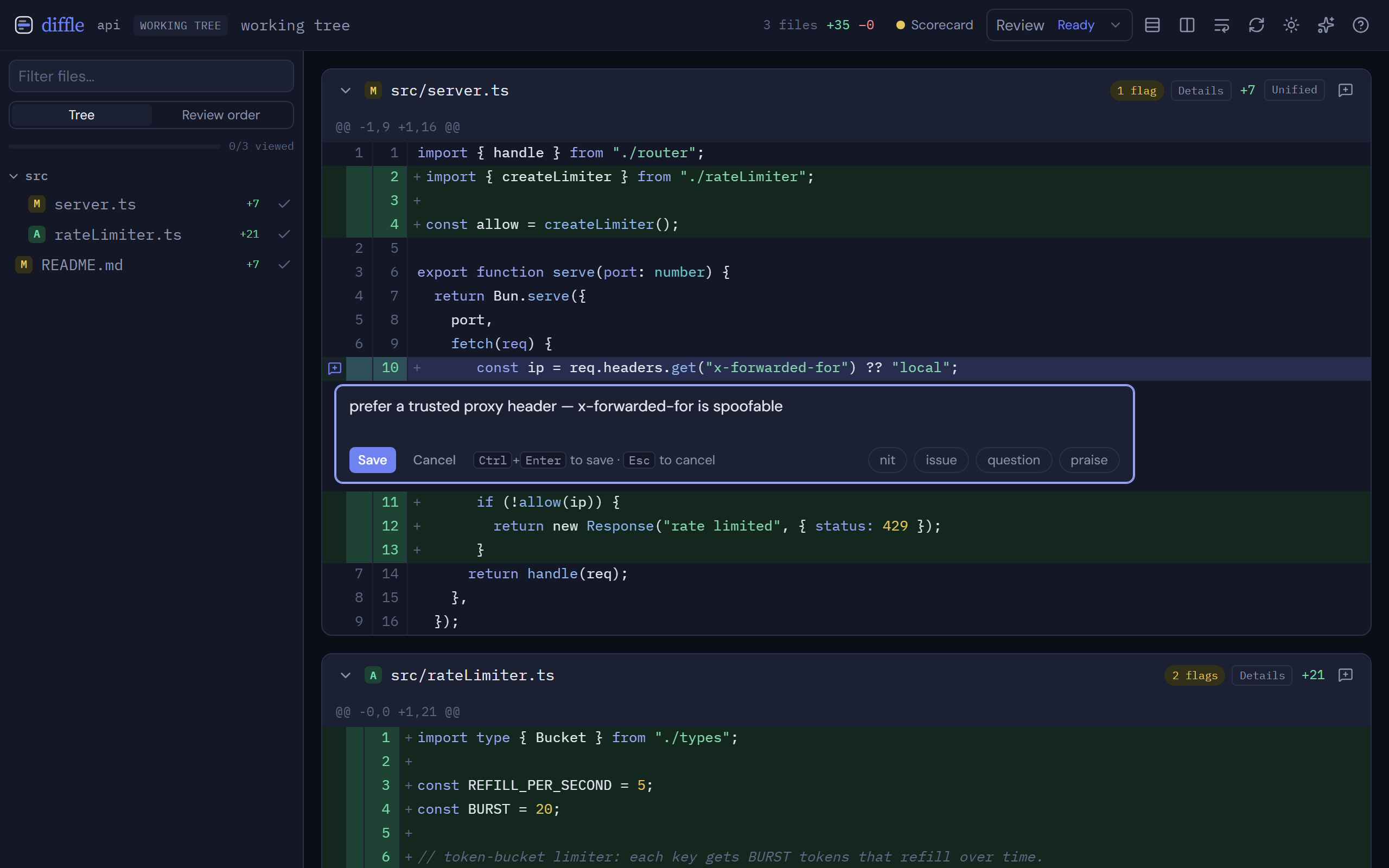
Read the diff. Use the file tree on the left to move between files, or press
J/K. Toggle side-by-side withsand line wrapping from the toolbar. Pressvto mark a file viewed. -
Leave a comment. Hover a line and click the comment bubble, or click a line number. Drag across line numbers (or shift-click a second line) to comment on a range. Type your note and save.
-
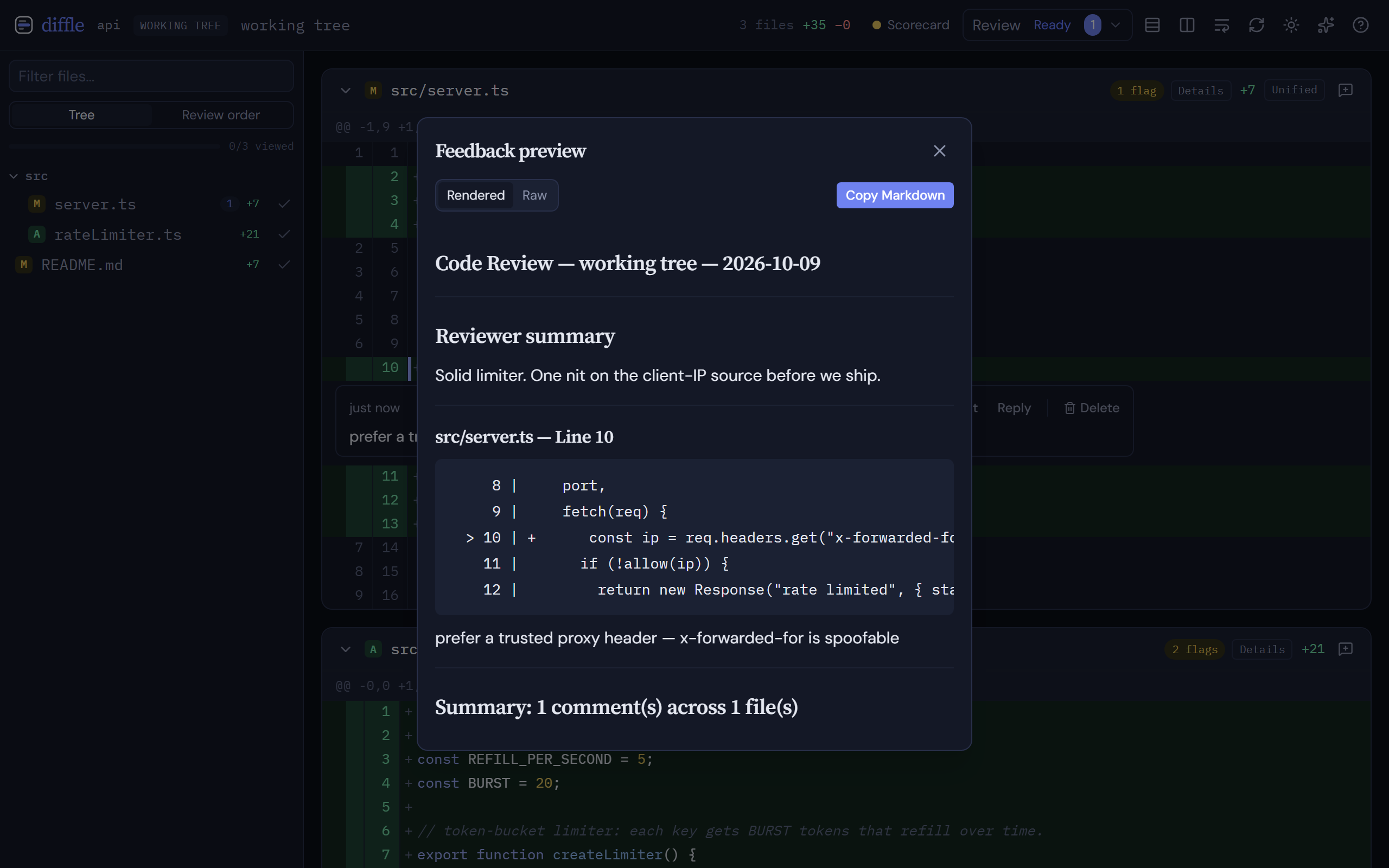
Export the feedback. Press
P(or open the review panel) to preview the compiled feedback, then copy it — paste it to any agent, or use the MCP integration to return it automatically.
Review something specific
Section titled “Review something specific”nittle staged # staged changes onlynittle main # current branch vs mainnittle v1.0..v1.1 # a commit rangenittle browse # the whole codebasenittle browse src/ # scoped to a subtreeSee the CLI reference for every command and flag.
Next steps
Section titled “Next steps”- Reviewing changes — reading modes, viewed state, and re-running.
- Inline comments — ranges, threads, resolve/reopen, and orphaned comments.
- Agent feedback — close the loop with Claude Code or Codex over MCP.