Keyboard review
Read, comment on and finish a diff from the keyboard. The keys follow vim, so j moves down a line and 10j moves ten. Every binding is in Keyboard shortcuts, and ? shows the same list in the app.
Put the cursor on a line
Section titled “Put the cursor on a line”Open a review and press j. A highlighted row appears in the file you’re on. That row is the cursor, and every key below acts on it.
j and k move one line. Type a count first to move further: 5j, 20k. The count waits for the next key, and Esc drops it.
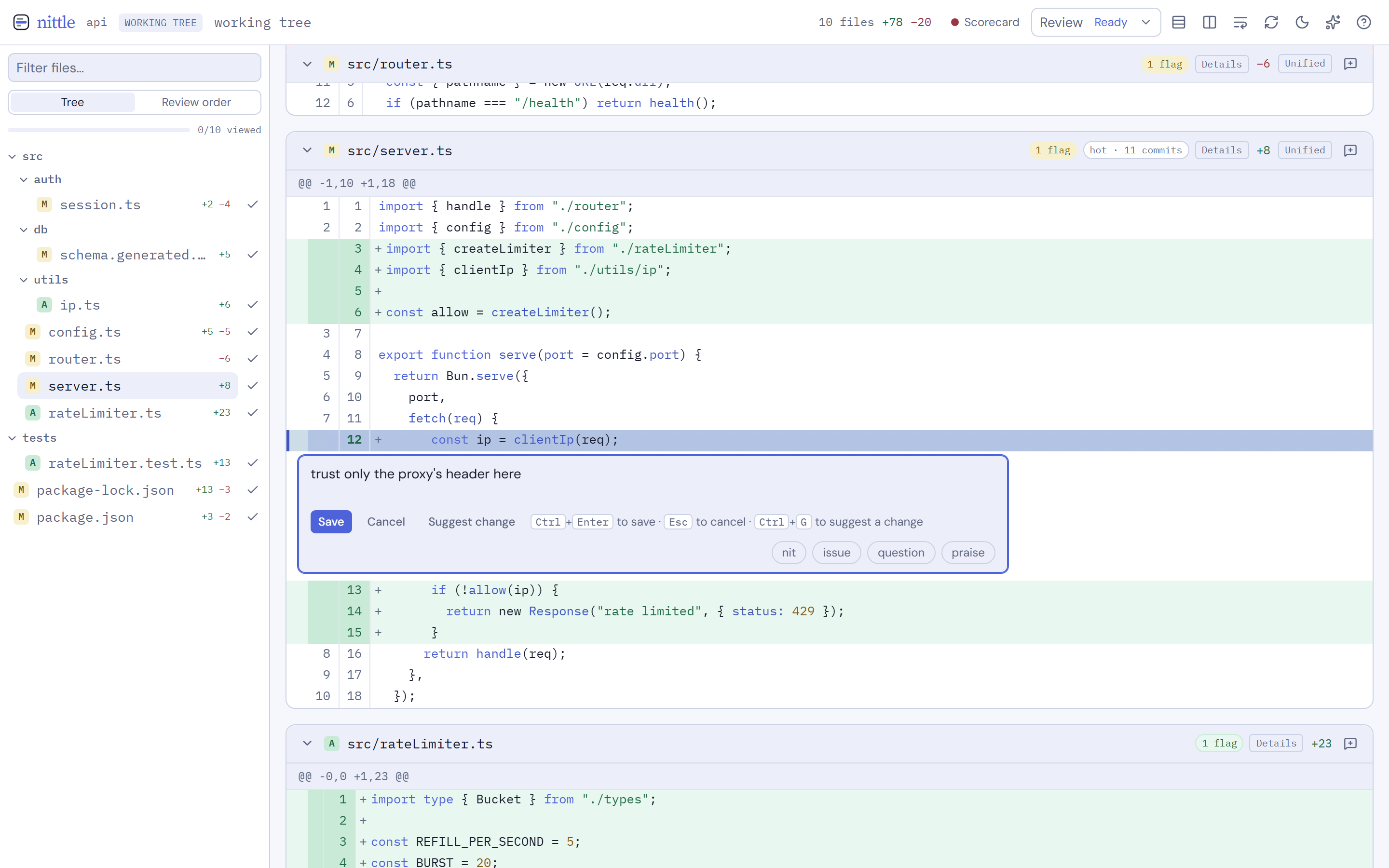
Keys are ignored while focus is in a field such as the filter box or a comment. Closing a comment box hands the keys back to the diff. From the filter box, click the diff.
Jump through the change
Section titled “Jump through the change”]and[go to the next and previous hunk.JandKgo to the next and previous file. In review order they follow that order.gggoes to the first line of the file andGto the last.42Ggoes to line 42 of the new file, or the nearest line the diff shows.Ctrl+dandCtrl+umove half a page.- In a side-by-side file,
hputs the cursor on the old side andlon the new side.
Collapsed files, binary files and large files you haven’t loaded have no lines to rest on. j and k skip them, and J and K stop on their header. zo opens the cursor’s file, zc closes it, and zO and zC do every file.
Hunk, file, top and bottom moves are jumps, and so are search hits and the file picker. Ctrl+o steps back to where you were before the last jump, and Ctrl+i steps forward again. The history holds 100 jumps.
Get to a file by name
Section titled “Get to a file by name”Ctrl+p (Cmd+p on macOS) opens the Go to a changed file… picker. Type part of a path, use the arrow keys, and press Enter.
gf follows a path written on the cursor line, such as an import of ./store or a reference like src/api.ts:42. It only goes to files in the diff. When the path fits more than one changed file, it opens the picker with the path filled in. With no changed path on the line, it says “No changed file path on this line.”
To find text instead of a file, see Searching.
Comment on what you read
Section titled “Comment on what you read”With the cursor on a line, press c. The comment box opens under it. Type, then press Ctrl+Enter (Cmd+Enter on macOS) to save. The cursor goes back to the line you left.
For a range, press V on the first line. j, k, ] and [ extend the range, and c opens the box for the whole selection. Esc cancels the range. gv brings the last range back if you need it again.
C comments on the cursor’s whole file instead of a line.
Esc closes the comment box and keeps what you typed, so c on the same line brings it back. The Cancel button throws it away. See Inline comments for how drafts are kept.
Work on comments already there
Section titled “Work on comments already there”When the cursor’s line has a comment, these keys act on it:
eedits it. A resolved comment has to be reopened first.Rresolves it, or reopens it when it’s resolved.dddeletes it. An Undo toast stays up for 8 seconds, anduundoes the delete while it shows.yycopies the comment text. On a line with no comment, it copies the line.}and{step between comments when a line has more than one.
On a line with no comment, these keys say “No comment on this line.” and do nothing. Holding a key down repeats motions such as j but never dd or other changes, so a held key can’t delete a row of comments.
Finish the file and the review
Section titled “Finish the file and the review”Press v to mark the cursor’s file viewed, then J to move on. When every file is done:
gcopens the review scorecard if you want a second look at the risky spots.Ppreviews the feedback exactly as the agent will get it.
Return or approve the review from the review panel. See Agent feedback.
Read code around the change
Section titled “Read code around the change”With a language server installed, gd goes to the definition of the word on the cursor line, gh shows its docs and gA lists references. Ctrl+o comes back. See Code navigation.
Cancel anything with Esc
Section titled “Cancel anything with Esc”Esc peels off one layer per press: a half-typed count or chord, then an open dialog, the file picker, a code navigation popup, the search panels, and last a visual range. A two-key chord such as gg is dropped if the second key doesn’t come within 1 second.